EdgeGuard

Not a panic button.
A personal agent.

Every citizen,
covered.

Always-on safety for lone workers, field teams, and anyone whose job has real downside risk. Background monitoring on the phone and wearable. Verified incidents go straight to your security operations with full context.

Always-on safety for every citizen in your jurisdiction. Verified incidents arrive at your C5 or PSAP with classifier, GPS, and medical info, white-labeled in your brand and available in 10+ languages.

Available on
White-label

Build it your way.

EdgeGuard isn't a fixed product. Pick the features. Set the colors. Put your seal on it. Deploy as a citizen safety app, an employee tool, or a community program. The engine is the same, the experience is yours.
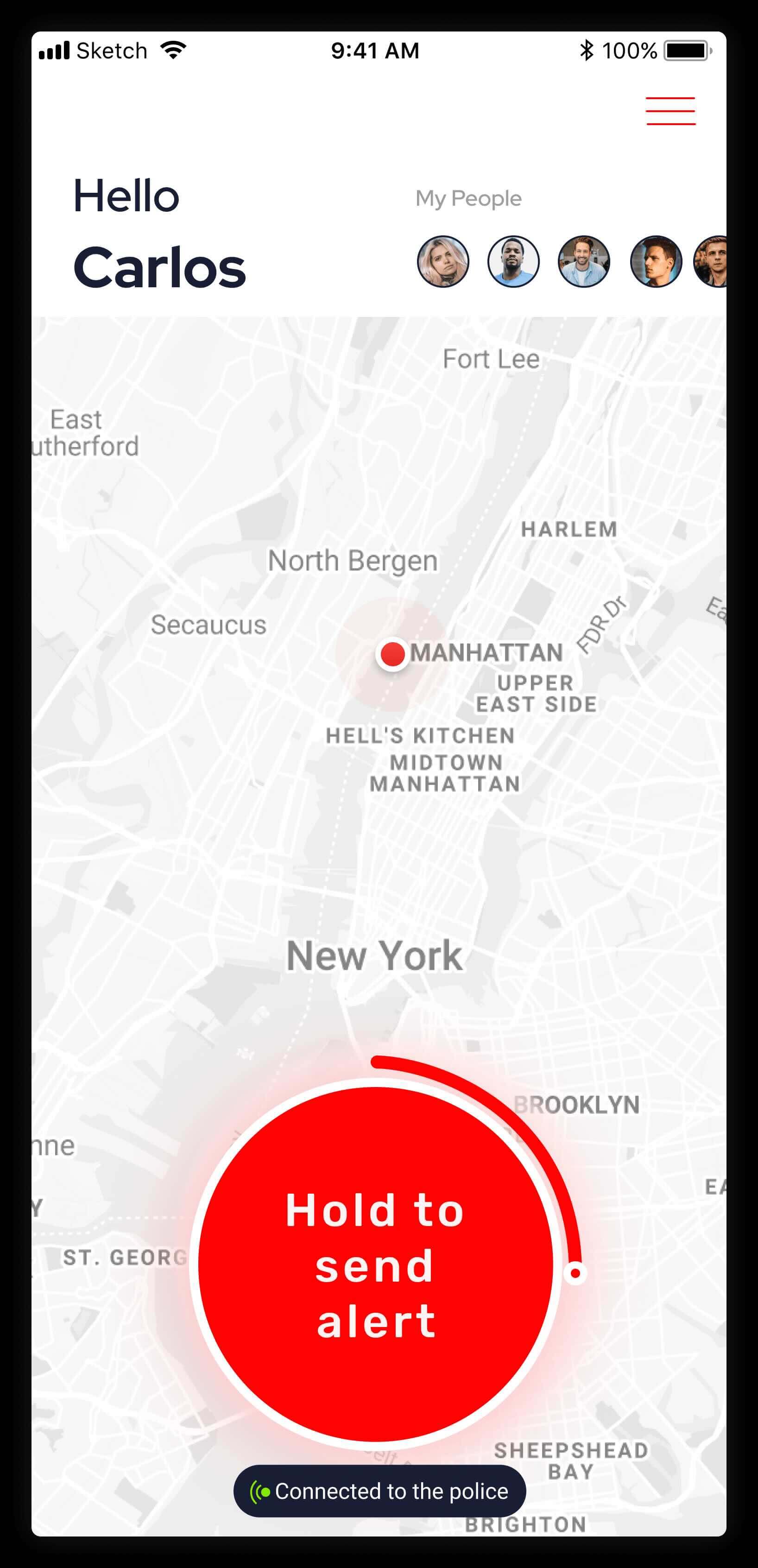
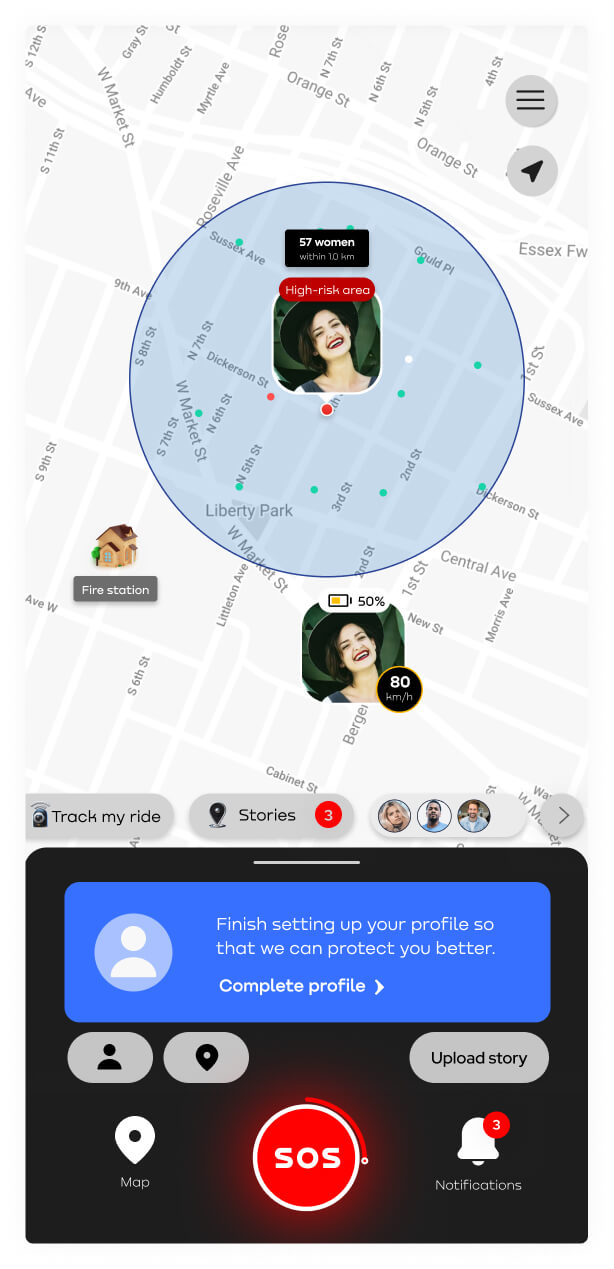
EdgeGuard citizen safety app sample deployment
Sample deployment Citizen safety app in deployment colors. Brand, features, language, and dispatch routing all configured per customer — see the table below.
Brand
Name, logo, colors, typography, app icon, splash screen, institutional seal. Your identity, not ours.
Feature set
Enable or disable any of the 14 capabilities per deployment. A municipal program might enable monitoreos, nearby helpers, and broadcasts. An enterprise program might prioritize timed checks, lone-worker alerts, and silent panic. You pick.
Distribution
Consumer app stores (under your brand), MDM for enterprise rollouts, or government-distributed (preinstalled, bundled with municipal services, distributed through partner channels).
Escalation routing
PSAP / NG911, C5 centers, corporate security operations, third-party monitoring, custom webhooks. Each deployment chooses where alerts land.
Languages
10+ languages supported today including English and Spanish. Additional languages on request.
Broadcast channels
Push notifications, emergency alerts, AMBER alerts, civic announcements, sent from your dispatch direct to every citizen who has the app. The communication channel public entities have wanted for a decade.
DEPLOYED FOR
Field officers & agents Healthcare workers Transit & logistics drivers Corporate executives
What it does

Fourteen capabilities. Pick the ones you need.

Every feature below is real, shipped, and configurable per deployment. Hover to see each in action.

01

AI proactive check-ins

The agent learns each worker's shift patterns and reaches out when something deviates. "Your shift usually ends by 6pm, you good?" No reply in 60 seconds, it escalates to your security operations.The agent learns each citizen's patterns and reaches out when something deviates. "You usually get home by 8pm, you good?" No reply in 60 seconds, it escalates to dispatch.

02

Timed checks

Set a timer before you go somewhere. Confirm you're safe when it expires. Miss the check-in, it escalates with your last location.

03

Crash detection

If the phone detects a crash, it gives the worker 5 seconds to cancel. Don't cancel, your security operations get the alert with location and medical info.If the phone detects a crash, it gives 5 seconds to cancel. Don't cancel, PSAP or C5 get the alert with location and medical info.

04

Fall detection

If a worker falls and doesn't get up, EdgeGuard checks in. No reply, your security operations are notified. The classifier is tuned to avoid false alarms from normal movement.If you fall and don't get up, EdgeGuard checks in. No reply, dispatch is on the way. The classifier is tuned to avoid false alarms from normal movement.

05

Voice-activated SOS

"Hey Siri, ask EdgeGuard for help" works in 10+ languages via Siri Shortcuts on iOS and Google Assistant on Android. Screen-off, hands-free.

06

Silent panic mode

Triple-press the power button. Phone looks normal, dispatch gets live location. For when someone is watching. Android only.

07

Safe word / fake word

Cancel screen shows a word grid. Real safe word cancels. Fake word looks cancelled to you, sends distress to dispatch. For when someone's watching.

08

Bluetooth keychain & bracelet

One press sends the alert without taking the phone out. Keychain or wristband, available in your colors and logo.

09

Two-way video / audio calls

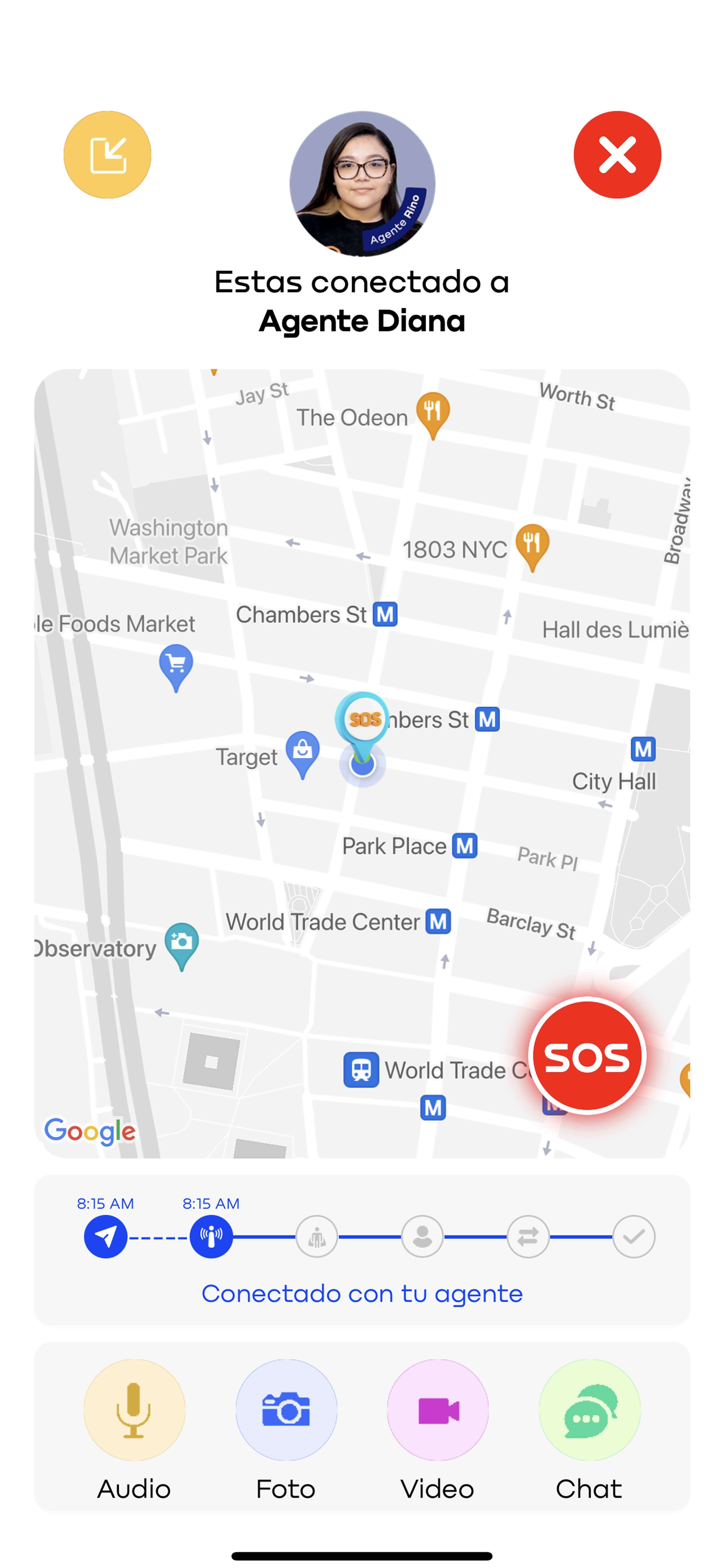
Dispatch can see and speak with you live, video or audio, straight through the app.

10

Monitoreos

Before a worker heads to a job site or shift, they request a monitored trip. Your operations team tracks them in real time from start to destination and is alerted automatically if they stop unexpectedly, leave the route, or fail to arrive.Before a citizen heads somewhere, they request a monitored trip. Dispatch tracks them in real time from start to destination and is alerted automatically if they stop unexpectedly, leave the route, or fail to arrive.

11

Safe zones

Curated map of safe locations near each worker: muster points, occupational health clinics, security desks, partner facilities. One tap routes to the nearest.Curated map of safe locations near each citizen: shelters, hospitals, police stations, designated safe houses. One tap routes to the nearest.

12

Nearby helpers

A built-in buddy system. Field staff opt in to help each other. When one triggers an alert, nearby coworkers are notified alongside your security operations.A community network. Citizens opt in to help each other. When one triggers an alert, nearby helpers are pinged alongside dispatch.

13

Crowdsourced reports

Workers and supervisors report what they see: hazards, blocked routes, unsafe conditions. Operations validates and pushes back to the relevant field teams. Two-way operational intelligence in one app.Citizens and authorities report what they see: outages, road closures, suspicious activity. Dispatch validates and pushes back to the neighborhood. Two-way civic intelligence in one app.

14

Push notifications & broadcasts

Site emergency notices, shift changes, evacuation alerts, security advisories, direct to every employee with the app. Geofenced by site or company-wide.AMBER alerts, seismic warnings, civic notices, road closures, direct to every citizen with the app. Geofenced by neighborhood or jurisdiction-wide.

How it runs

Production specs.

The honest answers procurement, IT, and emergency operations leads ask about first.

Platforms
iOS (15+) and Android (10+). Wearable companion for Apple Watch and Wear OS. Background monitoring with battery-optimized sensor sampling.
Trigger modes
Hold-to-confirm SOS, sensor-based (crash, fall), Siri/Google Assistant voice activation (multi-language), silent panic, AI proactive check-ins, user-set timed checks, Bluetooth accessory press, safe word / fake word. Customer can enable or disable any mode per deployment.
Escalation routing
Configurable per deployment. Government deployments typically route to PSAP / C5 via CAD integration. Enterprise deployments route to security operations, corporate dispatch, third-party SOC, or any webhook-capable system.
Languages
10+ languages supported across UI, AI agent dialogue, and voice activation. English and Spanish first-class today, others on request per deployment.
Deployment
Distribution as consumer download, employer-issued, or government-issued. White-labeled per municipality or organization. Your name, branding, colors. App stores or MDM (enterprise).
Data residency
For Mexico deployments, data stays in country. For US deployments, data stays in the US. On-premise dispatch integration available where required.
Training data
Pattern-deviation and sensor models tune against real customer telemetry per deployment, not synthetic benchmarks. Each rollout calibrates to the population's actual movement patterns and routines.
Privacy posture
EdgeGuard does not continuously stream audio or video. Two-way voice and video calls between user and dispatch are initiated only on active incident. Sensor data (motion, orientation) is processed on-device. Transmitted to the customer's infrastructure only when an incident is dispatched or a monitoreo is active.
Integrations

Three pipes. That's all you need.

EdgeGuard plugs into your existing stack, whatever it looks like, through three integration paths.

CADSafetyNet · Promad · custom
REST APIDocumented · authenticated · versioned
WebhooksAny endpoint that accepts HTTPS POST
Common questions

What buyers actually ask.

How is this different from the SOS button on iPhone?

That one waits for you to press it. This one learns your patterns and reaches out first. "You usually get home by 8pm, you good?" Plus the keychain, the safe word, monitoreos, helpers, broadcasts. Different product.

Where do alerts go?

Wherever you tell us. Government: PSAP, NG911, C5. Enterprise: your SOC, third-party monitoring, a webhook into Slack. You pick during deployment.

What does dispatch get?

A structured packet, not a phone call. Classifier, GPS, sensor history for the prior 60 seconds, medical info, contacts. Optional two-way audio or video call with the user from inside the app.

How does the safe word thing actually work?

When you cancel an alert, you see a grid of words. You picked two in advance, one real and one fake. Real one cancels. Fake one looks like it cancelled on your screen, but dispatch gets the distress signal. Everything else just fails.

Can we put our own brand on it?

Yes. Your name, your logo, your colors, your seal. Pick which of the 14 features are on. Even the keychain and bracelet accessories come in your colors. It's an engine you configure, not a fixed app.

What happens to the data?

Stays on the device by default. We don't stream audio or video continuously. Calls are only on active incidents. Mexico data stays in Mexico, US stays in the US. Pattern models train per deployment on your own population.

See it work.
Then decide.

30 minutes. We'll walk through a real EdgeGuard incident flow, from sensor trigger to dispatch handoff, against your specific environment. Bring your CAD, your routing requirements, your population profile.

V1V2